


Creating a WordPress website begins with choosing the right theme. Whether you’re starting an e-commerce store or building a business website, the design and functionality of your site play a key role in its success. And that’s where the Salient WP Theme stands out.
Known for its versatility, sleek design, and rich customization options, Salient theme is a top choice among WordPress users. But with so many WordPress multipurpose themes available, is it really worth it? In this review, we’ll check out the key features of the Salient WordPress theme and help you decide if it’s the right fit for your project.
What is the Salient WordPress Theme?
The Salient theme is a premium and the best WordPress multipurpose theme developed by ThemeNectar. It helps users build visually stunning websites with ease without needing to write a single line of code.
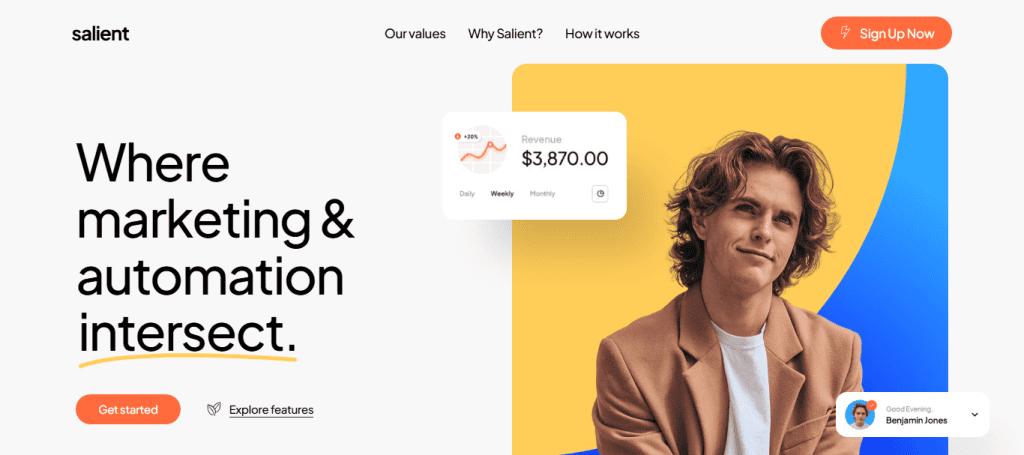
Salient is packed with a wide range of features and integrations, making it suitable for a variety of websites. From digital agencies to freelancers, e-commerce brands, and bloggers, Salient has tools for everyone. Its polished layouts, responsive design, and flexible editing options also make it one of the most downloaded themes on ThemeForest.
Key Features of Salient Multipurpose WordPress Theme
Let’s dive into some standout features that make Salient a powerful theme for WordPress site:
- Advanced Visual Page Builder: Salient uses an enhanced version of WPBakery Page Builder, which offers drag-and-drop editing and real-time previews.
- Pre-Built Demos: You get access to 400+ professionally designed templates. This helps you launch your website faster by importing a complete layout and customizing it to suit your brand.
- Theme Options Panel: The user-friendly admin panel lets you adjust colors, fonts, header styles, and more. No coding required.
- Custom CSS Support: Custom CSS boxes for WordPress developers allow you to tweak styles further.
- Responsive and Retina Ready: Your website will look sharp and perform well on all devices, from desktops to smartphones.
Learn: How to Build Custom WordPress Themes Through White Label Services
Salient WP Theme: What to Expect
Here’s a brief on what the Salient WordPress theme offers, from stunning designs to performance optimization, for building powerful, modern websites.
Design and Customization Options
When it comes to design flexibility, Salient excels. The theme offers multiple layout options for headers, footers, and blog pages. You can customize every section with global or page-specific settings. It also supports parallax effects, animated elements, and video backgrounds to make your pages more dynamic.

You’ll also find a large selection of Google Fonts and icon packs, giving your site a modern, professional feel. With built-in color schemes and the option to create your own, branding becomes effortless.If you’re aiming for a pixel-perfect website, Salient makes that possible, even if you’re not a designer.
Check out: What Are Primary Colors in Web Design
Performance and Optimization
Website speed is crucial, both for user experience and SEO. The Salient theme is built with performance in mind.

It includes features like:
- Lazy loading for images and assets
- Clean, optimized code
- Efficient CSS and JavaScript handling
Moreover, Salient works seamlessly with caching plugins like WP Rocket and W3 Total Cache to further boost site speed. Because of its lightweight structure, your site loads quickly, thereby reducing bounce rates and improving your search engine rankings.
User Experience and Interface
Salient offers an intuitive and enjoyable user experience for both site visitors and administrators. The backend is neatly organized, making it easy to find and change settings. Real-time previews also help you see edits as you make them, which is ideal for those who prefer a visual approach.
On the frontend, Salient’s animations and transitions create a smooth browsing experience. The navigation is customizable, and elements like sticky headers, mobile menus, and call-to-action buttons are built in.
Whether someone is visiting your site from a desktop or mobile device, Salient ensures the experience feels consistent and polished.
Know more: Common WordPress Website Design Mistakes to Avoid
Compatibility with Popular Plugins
Salient plays well with major WordPress plugins. This makes it easy to extend your site’s functionality. Some of the plugins Salient supports include:
- WooCommerce: Build and manage a full online store
- WPBakery Page Builder: Customize layouts without touching code
- Yoast SEO: Optimize your content for search engines
- Contact Form 7: Add custom forms easily
- Slider Revolution: Create stunning sliders and carousels
This level of compatibility with third party plugins ensure you won’t be limited when it comes to adding new features to your website.
SEO-Friendliness of Salient Theme
Search engine optimization is key to driving organic traffic. Salient is built to support SEO best practices.

The theme includes:
- Clean and semantic code structure
- Fast-loading pages
- Mobile responsiveness
- Integration with top SEO plugins
It also supports schema markup, which helps search engines understand your content better and improve your site’s visibility in search results. With proper on-page SEO and regular content updates, Salient gives you a strong foundation for ranking well on Google.
Pricing and Licensing Options
Salient is available exclusively on ThemeForest for a one-time fee of around $60. This includes:
- Lifetime theme updates
- Six months of support (extendable for a fee)
- Access to all demos and features
Considering the number of features and professional design elements, it offers excellent value for money.
Check out: WordPress Themes Everything You Need to Know
Pros and Cons of Using Salient WP Theme
Here’s a quick overview of what to expect from this popular WordPress theme.
| Pros of Salient WP Theme | Cons of Salient WP Theme |
| Salient offers visually impressive demos and professionally designed templates to jumpstart your website design project. | The Salient theme options panel has a slightly higher learning curve for beginners who are new to WordPres |
| It features an easy drag-and-drop editor, thanks to the enhanced WPBakery Page Builder plugin. | It is heavier than minimalist WordPress themes, which may affect load times on low-resource servers. |
| The theme is optimized for speed and built with SEO best practices in mind. | Salient relies on WPBakery, which may not suit users who prefer other page builders. |
| It excels at theme customization. Salient theme offers full control over layout, colors, fonts, and more. | |
| Salient is compatible with popular plugins like WooCommerce, Yoast SEO, and Contact Form 7. |
Who Should Use the Salient Theme?
Being one of the most popular WordPress themes, the Salient WordPress theme is designed to serve a wide range of users. This makes it a solid choice for individuals and organizations across various industries. Here’s a closer look at who can benefit the most from this versatile theme:
Business Owners
Salient is perfect for business owners who want a modern, professional, and reliable website without investing heavily in custom WordPress development. Its range of pre-designed templates and flexible customization options make it easy to reflect your brand’s identity and create a strong online presence.
E-commerce Entrepreneurs
If you’re planning to launch an online store, Salient integrates seamlessly with WooCommerce – a popular ecommerce plugin. It provides all the features you need to build a beautiful and functional e-commerce site. From product pages to cart and checkout flows, the theme ensures a smooth shopping experience for your customers.
Related: Why Should Agencies and Freelancers Outsource WooCommerce Development
Bloggers and Creatives
Bloggers, artists, photographers, and other creatives will appreciate Salient’s visually rich layouts and creative flexibility. Whether you want a minimalist blog or a vibrant portfolio, Salient offers tools to showcase your content in the most engaging way possible.
Agencies and Freelancers
Web design agencies and freelancers can take advantage of Salient’s wide range of demos and reusable elements to speed up development time and deliver high-quality sites to clients. The built-in customization tools and page builder reduce the need for external plugins or custom coding.
Beginners
Even if you’re new to WordPress, Salient provides a user-friendly interface, drag-and-drop editing, and detailed documentation, making the learning curve manageable. With demo content imports and pre-styled pages, beginners can quickly build a professional-looking, fantastic website with minimal effort.
Bonus: Salient WP Theme Installation and Setup
Getting started with the Salient WordPress theme is a straightforward process, whether you’re a beginner or an experienced developer. With a few simple steps, you can install the theme, activate it, and begin customizing your site. Let’s walk through the key stages to ensure a smooth setup.
Purchase and Download the Theme
First, head over to ThemeForest and purchase the Salient theme. Once completed, download the theme package, which includes the core theme files, a child theme, and documentation.
Install the Theme via the WordPress Dashboard
Next, log in to your WordPress admin panel.
Go to Appearance ⟶ Themes ⟶ Add New ⟶ Upload Theme and then upload the salient.zip file.
After uploading, click Activate to enable the theme on your website.
Install Required and Recommended Plugins
Once the theme is activated, you’ll be prompted to install several plugins, such as Salient Core and WPBakery Page Builder. These are essential for accessing the full functionality of the theme, so be sure to install and activate them.
Import Demo Content (Optional)
If you want a ready-made layout to jumpstart your design, go to Salient ⟶ Demo Importer. Choose a demo that fits your website style and import it with one click. This helps you save time and understand how different elements work together.
Customize Your Website
Now, navigate to Salient ⟶ Theme Options or use the WPBakery Page Builder to start customizing your site. You can adjust fonts, colors, layouts, headers, and more.
Set Up the Child Theme (For Developers)
For advanced customization, upload and activate the Salient Child Theme included in your download. This allows you to modify theme files without affecting the original theme during updates.
Final Verdict: Is Salient Worth It?
The Salient WordPress theme is one of the most powerful and versatile themes on the market today. It combines design flexibility, robust performance, and user-friendliness in a single package.
Whether you’re building your first website or revamping an existing one, Salient gives you the tools to stand out without requiring complex coding or hiring a web developer. From beautifully designed templates to seamless integration with major plugins, it’s clear that Salient delivers value beyond its price tag.
FAQs About Salient WP Theme
Is Salient beginner-friendly?
Yes, Salient theme is beginner-friendly. It comes with demo imports, visual editing, and helpful documentation.
Can I use Salient for an online store?
Absolutely. Salient is fully compatible with WooCommerce, which makes it the #1 choice for u003ca href=u0022https://seahawkmedia.com/services/woocommerce-development/u0022u003ebuilding online storesu003c/au003e.
Does Salient support multilingual websites?
Yes, Salient supports multilingual websites. It works with plugins like u003ca href=u0022https://wpml.org/?aid=773107u0026amp;affiliate_key=sQLcKutkMWDju0022u003eWPMLu003c/au003e and Polylang for multilingual support.
How often is the theme updated?
Salient receives regular updates with new features, improvements, and bug fixes.
Can I use Salient on multiple websites?
One license is valid for one site. For multiple sites, you’ll need additional licenses.
Does the Salient core include a child theme for experienced developers?
Yes, it does. Salient comes with a ready-to-use child theme, making it easy for developers to customize code without affecting core theme updates.
Is it compatible with all plugins or only certain third-party plugins?
Salient is compatible with most major third-party plugins. However, full compatibility cannot be guaranteed with all plugins.
Does the premium theme offer free support?
Yes, the purchase of the Salient theme includes six months of free support, which can be extended for an additional fee through ThemeForest.