

Designing a WordPress website that stands out and delivers a seamless user experience can be key to achieving success online. However, even simple design mistakes can deter users and diminish your website’s impact. With so many brands competing for attention, providing an exceptional user experience and a visually captivating site is crucial. In this guide, we’ll highlight common WordPress website design mistakes to avoid and provide best practices to ensure your site delivers exceptional results.
WordPress Website Design Mistakes to Avoid
When designing your WordPress website, paying attention to several factors can significantly enhance user experience and engagement. Here’s a detailed look into the most common WordPress mistakes made related to web design and how to avoid them:
Navigation and User Experience
An intuitive and straightforward navigation system is crucial for enhancing user experience. Poor navigation, one of the biggest web design mistakes, can frustrate visitors and result in a high bounce rate.

Here are key aspects to consider:
Messy Navigation
A cluttered navigation menu overwhelms users and leads to confusion. Essential practices to avoid poor website design choices include:
- Keep it clean and simple: Instead of listing every page in a complex dropdown, use a main menu with only essential categories, such as “Home,” “About,” “Services,” and “Contact.”
- Use whitespace strategically: Adequate spacing between menu items can highlight each link clearly, reducing visual clutter.
- Label links clearly: Clear labels such as “Our Team” instead of “Personnel” make navigation straightforward and user-friendly.
Lack of Hierarchy
Organizing content with a clear hierarchy helps users easily understand and navigate the website. Key strategies involve:
- Use headings and subheadings: Integrate structured headings like “H1” for page titles and “H2” for section titles to break content into digestible sections. For example, under a page titled “Services,” include subheadings like “WP Consulting Services” and “Technical WordPress Support.”
- Incorporate whitespace: Maintaining plenty of space around sections or between paragraphs helps keep the design tidy and readable, for example, placing margins between blocks of text.
Read: Top Trends in WordPress Website Design and How White Label Services Can Keep You Ahead
Mobile Optimization
With mobile traffic constituting more than half of web visits worldwide, ignoring mobile optimization can lead to huge losses. Optimizing your website for mobile devices is essential for its success, and here are some critical aspects to focus on:
Designing for Mobile Devices
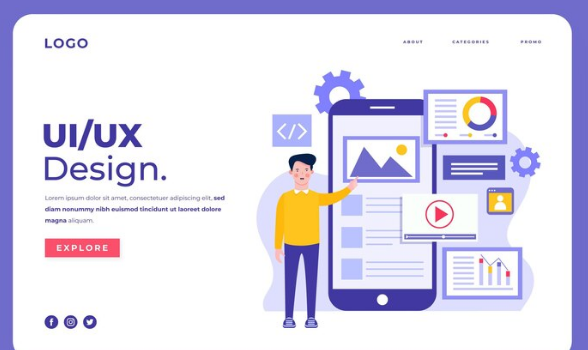
Creating a mobile-friendly site ensures accessibility and ease of use. Important practices include:
- Creating a WordPress website that will automatically adjust images and text to fit screens ranging from smartphones to tablets. This will provide a seamless experience regardless of the device.
- Consistency is key. For example, test your site on various smartphones and tablets to ensure that the navigation menu, images, and text are displayed correctly and are easy to interact with.
Importance of Mobile Optimization
Neglecting mobile users can severely impact your digital success. Consider these elements:
- Enhance user experience: A responsive site with quick loading times and easy-to-use menus enhances navigation, encouraging users to explore more pages.
- Improve search rankings: Optimizing your site for mobile can help improve its visibility and rankings on search result pages, increasing organic traffic.
Learn: Role of White Label WordPress Website Design
Visual Design
This is another web design mistake that you need to rectify. Crafting a visually appealing website design is crucial for engaging users and reinforcing your brand’s image.
Here are key design elements to optimize:
Too Many Fonts
Consistency in typography is essential to maintain a professional look. Important guidelines that web designers should follow include:
- Limit font choices: Use only a few fonts that complement each other and your brand. For example, pair a sans-serif font like Helvetica for headings with a serif font like Times New Roman for body text to create a balanced look.
- Create a consistent and professional appearance: Using too many fonts can lead to a chaotic design. So, stick to two or three fonts across your headers, body text, and call-to-action buttons to ensure consistency and clarity.
Poor Contrast
Contrast is crucial for readability and web accessibility. Essential considerations are:
- Ensure sufficient contrast: Make sure text is legible against its background. For example, using dark grey text on a white background improves readability compared to light grey text.
- Use high-contrast colors: Use colors that stand out from each other to enhance readability and accessibility. For instance, a bold blue button on a white background grabs attention and improves navigation ease, while simultaneously aiding SEO by making your content clearer and more accessible.
Know more: Headless WordPress Website Design Agency
Best Practices for WordPress Website Design
Incorporating best practices into your WordPress website design can significantly elevate its impact, ensuring a better user experience and improved online presence. Key areas to focus on include:
Web Accessibility
Enhancing website accessibility ensures inclusivity and a positive user experience for all visitors. Essential strategies include:
- Design for accessibility: Implement elements that cater to users with disabilities. For example, ensure your site is navigable via keyboard shortcuts and compatible with screen readers.
- Provide alternative text: Add descriptive alt text to images, which helps visually impaired users understand the content. For instance, describing an image of a “sunset over the mountains” gives context and enhances comprehension.
Also read: Guide to Asymmetrical Layouts and Overlapping Elements in Web Design
Search Engine Optimization (SEO)
Optimizing your site for search engines increases its visibility on search results pages, driving more traffic. Key actions involve:
- Use relevant keywords: Incorporate keywords naturally within your content. For example, if you have a gardening blog, include phrases like “organic gardening tips” and “pest control strategies” within relevant articles.
- Craft compelling meta descriptions: Write engaging summaries of your pages to encourage clicks. Example: “Discover expert tips on organic gardening to boost plant health and reduce pests.”
- Build quality backlinks: Connect with credible sites to enhance your own site’s authority and ranking. For instance, contributing guest posts to reputable industry blogs can provide valuable backlinks.
Future of SEO: Trends That Will Impact White Label SEO Services in the Next Five Years
Website Performance
Website performance is crucial, directly impacting user experience and search engine rankings. Focus on:
- Optimize loading times: Slow website speed can lead to poor user experience. As such, reduce load times by compressing images and using caching plugins. Use plugins like WP Super Cache to speed up your site.
- Choose a reliable hosting provider: Opt for a hosting service known for uptime and speed. Hosting services like Pressable or Kinsta can improve site reliability and performance.
- WordPress Development: Invest in professional WordPress web development to enhance site speed and streamline design. Professional developers use clean code and limit plugins, ensuring fast performance. They also maintain a cohesive website layout, avoiding too many elements that can confuse website visitors, ultimately improving user experience and site efficiency.
Read: White Label WordPress Speed Optimization Services for Agency Clients
Conclusion
In conclusion, avoiding common website design mistakes is vital for creating a successful WordPress site. Focus on delivering a superior user experience by ensuring clean navigation, proper hierarchy, visual appeal, and performance optimization. These strategies contribute to a professional online presence and can help attract and convert visitors effectively. By prioritizing these elements, your WordPress site will not only look impressive but will also drive results and support your business’ success.
FAQs About WordPress Website Design Mistakes
Why is clear navigation important on a WordPress site?
Clear navigation is important because it ensures that users can easily find the information they need. This, in turn, reduces bounce rates and increases engagement.
How does mobile optimization affect SEO?
Mobile optimization improves user experience, which is a factor in search engine rankings. A responsive site is also more likely to rank higher in SERPs.
What is the impact of poor contrast in web design?
Poor contrast can make text hard to read, which can affect accessibility for users with visual impairments. Plus, it can negatively impact search engine rankings.
How can slow loading times affect my website success?
Slow loading times lead to higher bounce rates and can significantly drop your search engine rankings, reducing visibility.
What are some key elements of accessible design?
Key elements of accessible web design include text alternatives for images, keyboard-friendly navigation, and readable content with sufficient color contrast.