
A WordPress website audit is like a routine health check-up for your site. It helps you find hidden issues that might be slowing your site down, hurting your site’s rankings, or making it vulnerable to hackers. Whether you’re a beginner or have been managing a WordPress site for years, following a structured audit checklist ensures your website remains reliable and competitive.
In this guide, we’ll walk through an in-depth WordPress website audit checklist. You’ll learn what to check, which tools to use, and how to fix common problems so your site performs better, stays secure, and attracts more visitors.
What is a WordPress Website Audit?
A WordPress website audit is a detailed review of your site’s:
- Performance, which includes loading speed, user experience, and Core Web Vitals.
- Security ensures protection against hacks, malware, and vulnerabilities.
- Search Engine Optimization (SEO), which includes on-page, off-page, and technical optimization.
- Functionality checks for plugins, theme, and usability issues.
Think of it as a diagnostic process. Just like you service a car to prevent breakdowns, you audit your WordPress site to catch issues before they harm your traffic, rankings, or reputation.
Example: Imagine you run a small business website. Without an audit, you might not realize that your contact form is broken, images are slowing down pages, or your SSL certificate has expired. A regular audit helps you catch and fix these problems quickly.
Hire a Professional for Your WordPress Site Audit
Our WP experts can conduct a thorough WordPress site audit, fix issues, and provide actionable tips to improve search engine rankings, website speed, and overall site health.
Why Are WordPress Website Audits Important?
Conducting regular WordPress website audits is not just a good practice; it’s a necessity. These audits help you identify hidden issues before they damage your traffic, security, or reputation. Here are the key reasons why they matter:
- Protects Your Website: Security threats are one of the biggest risks for any WordPress site. With regular audits, you can spot vulnerabilities early and reduce the chances of hacks or malware attacks.
- Improves User Experience: A website that loads slowly or has broken links frustrates visitors. By auditing your site’s performance, you ensure smooth navigation and a user-friendly experience.
- Boosts Search Rankings: Search engines reward websites that are fast, secure, and well-optimized. A proper audit gives you the insights needed to stay competitive in search results.
- Saves Money and Time: Fixing minor issues during an audit is far easier and cheaper than repairing major damage later. In other words, prevention is always better than cure.
In short, regular WordPress audits are the foundation for a strong online presence and sustainable website growth.
Know about: Complete List of Web Services to Outsource to White-Label Providers
Pre-Audit Checklist for WordPress Websites
Before you begin analyzing your website’s security, performance, or SEO, it’s important to start with a few essential steps. These actions form the foundation of your audit and ensure that your site is both safe and prepared for further improvements.
Update WordPress Core, Themes, and Plugins
Outdated software is one of the biggest reasons WordPress sites get hacked. Hackers often exploit old versions of WordPress, plugins, or themes to gain access. Therefore, keeping everything updated should be your first step.
- Update the WordPress core to the latest version.
- Regularly update your themes and plugins to fix bugs and maintain compatibility.
- Remove any unused or outdated plugins that no longer receive updates, as they may expose your site to risks.
Also, turn on automatic updates for minor releases to save time. However, for major updates, it’s best to test them on a staging site first. This way, you can avoid breaking your live site if something is incompatible.
Back Up Your Website
The next critical step is creating a reliable backup. A backup acts as your safety net if anything goes wrong during updates or while making changes. With a backup, you can restore your website in minutes.
- Use trusted backup plugins like UpdraftPlus or BlogVault.
- You can securely store your backups in the cloud using services such as Google Drive, Dropbox, or Amazon S3.
- Don’t forget to test your backup by restoring it on a staging site to ensure it’s complete and functional.
By completing these two steps first, you set yourself up for a smooth and stress-free WordPress audit.
Complete WordPress Website Audit Checklist
Below we will cover the complete site audit checklist for security, site speed, functionality, and SEO.

WordPress Security Audit Checklist
Website security is one of the most important parts of a WordPress audit. A single vulnerability can lead to data loss, malware infections, or even a complete site shutdown. By strengthening your site’s defenses and controlling user access, you can reduce risks significantly. Let’s look at the two key areas to focus on.
Strengthen Site Security
The first step is to make sure your website has a solid security foundation. Weak passwords, outdated plugins, or the absence of monitoring tools can leave your site open to attacks.

Here’s what you should do:
- Use strong, unique passwords for all accounts, especially for administrators. Avoid reusing passwords across multiple platforms.
- Enable two-factor authentication (2FA) to add an extra layer of protection beyond just a password.
- Install a security plugin like SolidWP, Wordfence, or MalCare to regularly scan your site for vulnerabilities and block potential attacks.
- Monitor for suspicious activity, such as repeated failed login attempts or unauthorized file changes.
Scenario: Imagine you log in one morning and find spammy links on your blog posts or notice your site redirecting to strange pages. A quick security scan using your plugin can reveal whether malware has been injected, allowing you to fix it before it damages your site’s reputation.
Review User Permissions
Equally important is controlling who has access to your WordPress site. Too many user accounts with high-level permissions increase the risk of mistakes or intentional misuse. To manage access effectively:
- Remove unused or suspicious user accounts that no longer need access.
- Assign roles carefully and give administrator access to trusted individuals only, while editors and contributors should have limited privileges.
- Use a plugin like User Role Editor to customize permissions based on specific responsibilities.
By limiting permissions, you not only reduce the chances of human errors but also strengthen your site’s overall defense.
WordPress Site Speed and Performance Audit Checklist
Website performance plays a crucial role in both user experience and search engine optimization. A slow-loading site frustrates visitors, increases bounce rates, and can push you lower in search rankings.
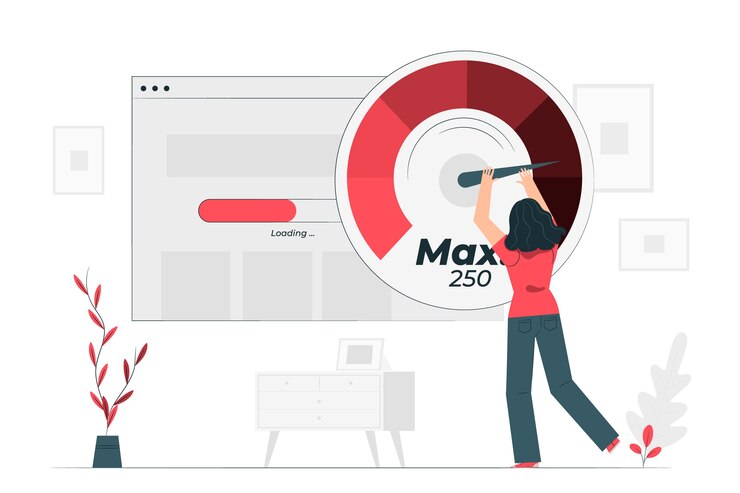
Since Google considers site speed a ranking factor, performance optimization should be a top priority in your WordPress audit. Here’s how to approach it step by step.
Test Site Speed
Before you can improve your website, you need to understand how it currently performs. Thankfully, there are several free tools available that make testing easy:
- Google PageSpeed Insights to measure Core Web Vitals such as loading speed and interactivity.
- GTmetrix to analyze total load time, page size, and number of requests.
- Pingdom Tools to monitor uptime and identify potential bottlenecks.
These tools will highlight issues such as oversized images, unoptimized code, or a slow server response. Once you have this data, you can move on to fixing the problems.
Improve Loading Speed
After identifying performance issues, the next step is optimization. Even small improvements can dramatically speed up your site. Consider the following best practices:
- Compress and resize images using plugins like ShortPixel to reduce file sizes without losing quality.
- Minify CSS, JavaScript, and HTML to streamline your site’s code and reduce loading times.
- Install a caching plugin such as FastPixel to store static versions of your site and deliver them faster to visitors.
- Use a Content Delivery Network (CDN) like Cloudflare to ensure quick access for visitors from different regions around the world.
These steps not only improve speed but also create a smoother browsing experience.
Monitor with Google Analytics
Finally, tracking your site’s performance over time is essential. With Google Analytics, you can:
- Monitor traffic, bounce rates, and user behavior.
- Identify high-performing pages and those that need improvement.
- Adjust your content and SEO strategies based on real data.
Regular monitoring ensures that your optimizations deliver long-term results and keep your website aligned with user expectations.
WordPress SEO and Functionality Audit
A well-designed website isn’t enough on its own. To attract visitors and rank higher in search engines, your WordPress site must be optimized for both SEO and functionality. This part of the audit ensures that your content is discoverable, user-friendly, and aligned with Google’s ranking signals. Let’s break it down into key focus areas.

Optimize Meta Titles and Descriptions
The first step is to fine-tune your on-page SEO elements. Every page and post should have a clear, keyword-rich meta title and an engaging meta description.
Plugins like AIOSEO or Yoast SEO make this task easier by providing optimization recommendations directly inside the WordPress dashboard. Well-optimized titles and descriptions help your content stand out in search results and increase click-through rates.
Use Headers Strategically
Search engines use headers (H1, H2, H3) to understand the structure of your content. Use only one H1 per page for the main topic, followed by H2s and H3s to organize subtopics. This not only boosts SEO but also improves readability for your audience. Remember, structured content is easier to scan, which keeps users engaged longer.
Add Internal Links and Alt Text
Internal linking is one of the simplest yet most powerful SEO strategies. It guides both users and search engines through your website while passing authority between pages.
For example, if you run a recipe blog, linking from a “chocolate cake” post to a “frosting recipe” post improves user experience and helps Google understand the relationship between your content.
At the same time, make sure every image includes descriptive alt text. This improves accessibility and strengthens your SEO.
Monitor Core Web Vitals
Finally, functionality and SEO go hand in hand with Core Web Vitals, which are critical performance metrics tracked by Google. These include:
- Largest Contentful Paint (LCP): Measures loading speed.
- First Input Delay (FID): Tracks interactivity.
- Cumulative Layout Shift (CLS): Assesses visual stability.
Use tools like PageSpeed Insights or WebPageTest to monitor these metrics. Then, fix issues by optimizing images, using reliable hosting, and reducing render-blocking scripts.
By focusing on these four areas, you’ll create a website that’s not only search-engine friendly but also delivers a seamless experience for your visitors.
Technical SEO Audit Checklist
A technical SEO audit focuses on the behind-the-scenes elements that affect how search engines crawl, index, and evaluate your WordPress website. Even if your content is strong, technical issues can prevent it from ranking well. By addressing these areas, you ensure that your site is fully optimized for visibility and long-term growth.
SSL Certificate and HTTPS
The first step is to confirm that your website is secure. Google favors websites that use HTTPS over those that rely on HTTP. If your site isn’t secure, visitors may see warning messages, which can harm trust and traffic. To fix this:
- Install a free SSL certificate through Let’s Encrypt or activate one with your hosting provider.
- If you prefer simplicity, use the Really Simple SSL plugin to automate the process.
Finally, verify in Google Search Console that both the HTTP and HTTPS versions of your site are set up correctly, with HTTPS as the preferred option.
Crawlability and Indexing
Next, make sure search engines can access and understand your website content. A simple error in your robots.txt file can block crawlers from indexing important pages. Here’s what to do:
- Check the robots.txt file for mistakes that may restrict Googlebot or other search crawlers.
- Submit an updated XML sitemap to Google Search Console to help search engines discover your pages more efficiently.
Regularly review crawl errors reported in Search Console and fix issues such as 404 pages or server errors.
Backlink and Content Audit
Review your backlinks and existing content. Both play a major role in SEO performance. High-quality backlinks strengthen your authority, while outdated or low-quality links and content can drag you down. To address this:
- Use tools like Ahrefs or SEMrush to analyze your backlink profile.
- Identify and remove toxic or spammy links pointing to your website.
- Audit older blog posts, update outdated information, and refresh keywords to keep them relevant.
By following these steps, you ensure that your WordPress site is not only crawlable and secure but also positioned for higher rankings and long-term success.
Essential Tools for WordPress Website Audits
Having the right tools makes auditing your WordPress website much easier and more effective. Instead of guessing what needs improvement, these tools give you accurate insights into performance, security, SEO, and more. By combining both free and premium tools, you can build a complete picture of your website’s health.
Website Performance Tools
A fast website improves user experience and helps your SEO. Tools like Google PageSpeed Insights, GTmetrix, and Pingdom analyze your site’s loading speed, page size, and uptime. They also provide practical suggestions, such as compressing images or reducing server response times, so you can fix issues quickly.
Read: White Label WordPress Speed Optimization Services
WordPress Website Security Tools
Protecting your site from hackers and malware should always be a top priority. Plugins such as Wordfence, MalCare, and SolidWP act as your first line of defense. They scan for vulnerabilities, block suspicious login attempts, and monitor your site for malicious code. Regular use of these tools ensures your WordPress site stays secure.
WordPress SEO Tools
Search engine optimization is critical for visibility. Tools like Yoast SEO and AIOSEO help you optimize on-page elements, while advanced platforms such as Ahrefs and SEMrush give you detailed insights into backlinks, keyword rankings, and competitor strategies. Together, they make it easier to improve your rankings and drive more traffic.
Analytics Tools
Analytics tools are essential for measuring the effectiveness of your efforts. Google Analytics tracks user behavior, conversions, and traffic sources, while Google Search Console helps you monitor indexing status, fix crawl errors, and analyze search performance. These insights guide your decision-making and strategy.
Backup Tools
Lastly, no audit is complete without a reliable backup solution. Plugins like UpdraftPlus, BlogVault, and Duplicator let you schedule automated backups and store them securely in the cloud. This way, you can recover your website quickly if something goes wrong.
By combining these tools, you gain a 360-degree view of your website’s health and the ability to address issues before they affect your performance, security, or SEO.
Post-Audit Best Practices for WordPress Websites
Completing a WordPress website audit is just the beginning. The real value comes from acting on the insights and making audits a regular part of your website maintenance routine. By following these best practices, you ensure your site stays secure, fast, and optimized for search engines.
Schedule Regular Audits: Audits should not be a one-time task. Consistency is key to maintaining a healthy website. Consider the following schedule:
- Monthly: Perform security scans to catch vulnerabilities early.
- Quarterly: Review performance and SEO to keep your site optimized.
- Yearly: Conduct a full technical audit to identify deeper issues.
Automation tools like WP Umbrella or SiteLock can help by sending regular reports, saving time and ensuring no issues go unnoticed.
Implement Improvements: After reviewing your audit findings, it’s important to act quickly:
- Fix broken links and update outdated content.
- Update or replace plugins with more efficient alternatives.
- Re-optimize pages that receive low traffic to improve engagement and search rankings.
Track Progress: Tracking your audit tasks ensures accountability and long-term results. Tools like Trello, Asana, or Google Sheets help you monitor deadlines, track improvements, and maintain a structured workflow.
By scheduling audits, implementing changes, and tracking progress, your WordPress site will remain secure, functional, and optimized for growth.
Conclusion
A WordPress website audit is essential for keeping your site secure, fast, and optimized. By following this checklist, you can catch issues before they become major problems, improve your search rankings, and provide a better experience for visitors.
Remember, an audit is not just about fixing problems; it’s about building a strong foundation for growth. Start small, use the right tools, and make audits part of your regular website maintenance routine.
Your WordPress site is one of your most valuable digital assets. Treat it well, and it will continue to deliver results for years to come.
FAQs About WordPress Site Audit
What is a WordPress site audit?
A WordPress site audit is a detailed review that evaluates your website’s performance, security, SEO, and overall site health to ensure it runs efficiently and safely.
Why is a WordPress website security audit important?
A WordPress website security audit identifies vulnerabilities such as crosssite scripting or outdated WordPress software, helping prevent data breaches and protect your content.
How does a WordPress SEO audit help search engines?
A WordPress SEO audit helps search engines understand your site structure, mobile responsiveness, indexed pages, and structured data so your content can rank higher in search results.
What should a comprehensive SEO audit include?
A comprehensive SEO audit should cover on-page optimization, broken links, website speed, internal linking, mobile version functionality, and how your site encourages search engines to index content.
How often should I perform a regular SEO audit?
Performing a regular SEO audit ensures your WordPress site’s SEO status remains up-to-date with search engine algorithms and maintains strong search engine rankings.
Can an SEO plugin improve my site’s SEO?
Yes, an SEO plugin helps optimize WordPress themes, meta descriptions, and content, improving site structure and encouraging search engines to index pages properly.
How does a WordPress site audit improve user experience?
A WordPress site audit improves site speed, mobile responsiveness, and proper configuration of the mobile version, making secure websites that perform well on both desktop and mobile devices.